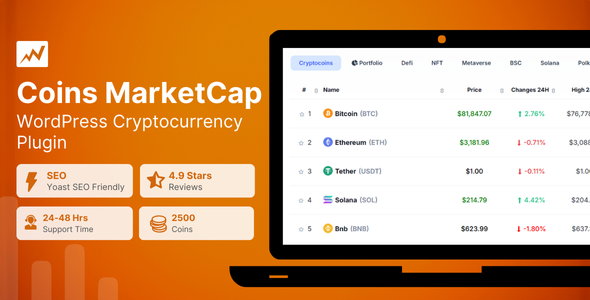
Create a fully automatic crypto coins price listing website using this Coins MarketCap WordPress plugin. This crypto plugin uses coinexchangeprice.com crypto data api to show live crypto prices, market cap, charts and other data related to a crypto coin.
The Coin Market Cap plugin is a powerful plugin for integrating live cryptocurrency market data into WordPress websites. It connects to a third-party API to generate an automatic crypto price listing that includes real-time value, market cap, tickers, and charts. You can select which data to display and sort it by rank or volume. Each cryptocurrency links to a single page created automatically, and you can customize its appearance using shortcodes or custom HTML.
Key Features:
- Table of 2,500+ Cryptocurrencies: Offers a comprehensive list of cryptocurrencies with detailed information to help users make informed decisions based on the latest market trends.
- Automatic Page Generation for Coin Details: Automatically generates pages for CMC Currency Details and Advanced Currency information, saving time and effort.
- Conversion Calculator: Easily track and convert values from one cryptocurrency to another with the built-in calculator.
- Historical Data: Provide detailed records of past cryptocurrency prices, trading volumes, and market caps to analyze trends over time.
an many more…..
How to Install/Update WordPress Theme/Plugins manually?
Step 1: Buy the Product and download the zip file.
Note: Some Zip files need to be extracted before uploading.
If you are performing an update: Just install the latest theme/plugin, and WordPress will automatically replace the older version with a newer version. All your settings and customizations will be the same as before, nothing will be changed.
Step 2: Go to “Appearance > Themes” If it’s a theme or go to the “Plugins” section if it’s a plugin through your WordPress dashboard.
Step 3: Click on “Add New” button (It’s same on themes and plugins section)
Step 4: Click on “Upload Theme” or you’ll show “Upload plugin” on plugin section
Step 5: Click on “choose file” and select the ZIP file of that theme/plugin
Step 6: Hit “Install now”
Step 7: It’ll take few seconds to Install your wordpress product
Step 8: Once It’s done, click on “Activate” and your WordPress product is Installed manually.
What are Membership plans?
With membership plans, you can access all themes and plugins for free if you are a member of our site. We have three membership plans: Monthly, Yearly, and Lifetime. You can choose according to your needs, for more info. Please visit our membership plan page.
Benefits of our Membership Plans:
- Instant access to all 6000+ premium GPL plugins and premium GPL themes, including all future releases
- Unlimited downloads
- There is no limit on downloading products
- unlimited domain usage
- Regular Updates as of when available. Usually, updates are released daily
- Cancel anytime
- Before purchasing, please read the Terms and Conditions & Refund Policy.
- If you have any questions, please first read the FAQs
- If you haven’t found the answer to your question, please get in touch with us via email or live chat, and we will respond ASAP
- Please note that any digital products on the website do not contain malicious code, viruses, or advertising. We buy the original files from the developers.
- Buy or download for FREE by subscribing to our Membership Plan. Join the membership club and enjoy complimentary access to all themes and plugins.
- More than 10000+ happy members.
- Monthly Membership Plan: ₹999.00 per month
- Yearly Membership Plan: ₹3,999.00 per year
- Lifetime Membership Plan: ₹15,999.00 one-time payment
*Visit membership plans to see offers and discounts!!
Only logged in customers who have purchased this product may leave a review.






Reviews
There are no reviews yet.